










Key Takeaways:
- Multi-pocket displays offer cost-per-pocket economy consolidating categories within single mounting reducing hardware and installation costs versus individual single-pocket holders requiring separate wall anchors and mounting points.
- Capacity accommodates tri-fold brochures (95% usage frequency), letter-size materials (75%), magazine formats (60%), and business cards (85%) within pockets ranging from card holders to 9x12 inch magazine sizes.
- Crystal clear acrylic with 92% light transmission maintains visibility while frosted/tinted alternatives reduce visibility 30-50% and cost 15-30% premium requiring functional justification beyond aesthetics.
- Eye-level placement at 48-65 inches maximizes visibility with deep pocket depth (1.5-3 inches) preventing curling and capacity planning at 70-80% fill levels balancing full appearance against easy removal.
- Refill frequency averages 7x weekly for medical waiting rooms, 14x weekly for retail high-traffic, and 2x weekly for corporate lobbies with monthly content audits preventing outdated information distribution.
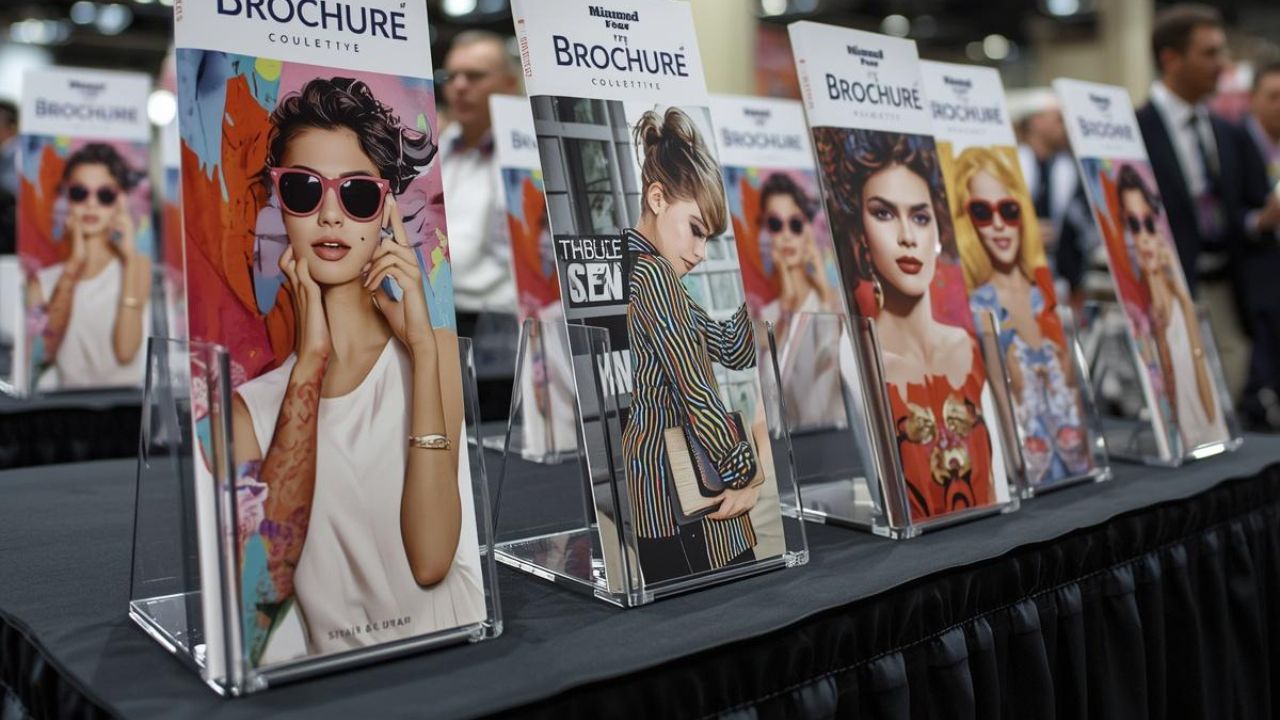
Multi-pocket displays consolidate diverse marketing materials within unified systems. Effective organization prevents visual clutter while enabling efficient self-service browsing across product lines, service categories, and information types. Strategic pocket planning, quality construction, and systematic arrangement determine whether displays enhance customer experience or create confusing material sprawl.
This guide explains multi-pocket advantages, configuration options, sizing requirements, quality specifications, organization systems, and maintenance protocols ensuring displays support both marketing objectives and operational efficiency.
What Problems Do Multi-Pocket Brochure Displays Solve in Real-World Spaces?
Multi-pocket systems address limitations single holders cannot overcome. Consolidation improves both space efficiency and user experience.
Why Do Single-Pocket Holders Fail When You Have Multiple Brochures?
Single pocket applications limit to focused messaging, limited space, and premium positioning unsuitable for diverse material distribution. Individual holders scatter across walls consuming excessive space while creating fragmented presentations preventing logical browsing. Single pockets appear sleeker aesthetically but lack capacity for service variety, self-service environments, and educational settings requiring multiple information categories.
Cost-per-pocket analysis reveals a multi-pocket economy for diverse materials distribution by consolidating multiple categories within single mounting eliminating individual holder costs and installation labor. Ten single-pocket holders require ten separate wall anchors and mounting points while equivalent ten-pocket displays need single installation. Multi-pocket advantages for service variety, self-service environments, and educational settings include centralized information enabling systematic browsing rather than scattered searching.
What Mistakes Make Multi-Brochure Areas Look Messy or Hard to Use?
Capacity planning preventing overstuffing degrading appearance requires maintaining 70-80% fill levels enabling easy material removal while appearing adequately stocked. Overstuffed pockets cause binding, curling, and sloppy presentation undermining professional image. Lack of visual hierarchy with priority items requiring eye level placement creates equal emphasis preventing customers identifying most important materials quickly.
Poor category-based arrangement causes confusion when unrelated materials mix randomly without logical grouping. Customers waste time searching rather than browsing efficiently. Absence of color-coding systems makes navigation difficult by providing no visual differentiation between health topics, product categories, or service types. Clear organization signals competent operations while messy displays suggest disorganization extending to overall business quality perceptions.
What Types of Multi-Pocket Display Solutions Are Available?
Configuration selection affects accessibility and space consumption. Mounting style matches specific environmental constraints and traffic patterns.
What Are the Best Wall-Mounted Multi-Pocket Brochure Holders?
Wall-mount displays score 10/10 suitability for medical office applications through space efficiency, accessibility compliance, and professional appearance optimization. Maximum rating reflects purpose-built design for healthcare-specific requirements including infection control and patient accessibility. Multi-pocket displays score 9/10 suitability for medical offices overall by consolidating diverse health topics within compact footprint eliminating floor obstacles.
Eye-level placement spanning 48-65 inches maximizes visibility and engagement for standing and seated viewers where natural sightlines focus during approach and browsing. Wall-mounted solutions save floor space in compact areas eliminating tripping hazards critical for wheelchair users, walkers, and mobility-impaired patients. Vertical mounting preserves valuable square footage in reception areas, hallways, and waiting rooms where floor displays create obstacles. Quality brochure holders engineered for multi-pocket configurations balance capacity against accessibility requirements specific to diverse applications.
What Are the Best Countertop and Freestanding Multi-Pocket Displays?
Multi-pocket displays score 7/10 suitability for retail store applications balancing impulse purchase integration against counter space constraints. Retail environments benefit from point-of-sale positioning while managing limited horizontal area. Multi-pocket displays score 6/10 for trade show applications where portability and rapid setup requirements favor simpler configurations versus capacity maximization.
Tiered designs maximize vertical space within compact footprint by stacking pockets creating multi-level presentation visible from customer approach angles. Vertical optimization proves critical for limited counter areas where horizontal spread consumes excessive space. Rotating bases enable self-service accessibility from all sides allowing customers browsing complete material selection without repositioning themselves or displays. Multi-sided access increases material variety within limited counter space particularly valuable at service desks or information kiosks.
How Many Pockets Do You Need to Organize Multiple Brochure Types?
Pocket quantity matches material diversity and browsing patterns. Proper planning prevents both insufficient capacity and wasteful excess.
How Do You Size Pockets for Tri-Fold, Bi-Fold, and Full-Sheet Handouts?
Capacity ranges from business card holders to magazine-sized pockets measuring 9x12 inches typically covering standard marketing material formats. Size-based pocket selection accommodates formats from business cards through magazine holders, preventing forcing materials into incompatible spaces or wasting capacity with undersized content.
Tri-fold brochures measuring 4x9 inches represent 95% usage frequency across applications making this most common format requiring adequate pocket allocation. Letter size materials at 8.5x11 inches account for 75% usage frequency particularly for forms, educational handouts, and technical specifications. Magazine formats measuring 9x12 inches comprise 60% usage while business cards represent 85% usage frequency requiring integrated card pockets within literature systems. Mixed-format displays accommodate multiple sizes within a single unit, consolidating diverse materials efficiently. Implementing QR-integrated tracking quantifies pickup rates by pocket and material type informing future allocation decisions.
How Do You Plan Pocket Count for Product Lines, Services, or Locations?
Multi-pocket displays offer cost-per-pocket economy for diverse materials by consolidating multiple categories within a single footprint reducing total hardware and installation costs. Category-based arrangement by topic or service optimizes organization through logical grouping enabling intuitive browsing without staff assistance or extensive searching.
Cross-selling arrangements place related materials adjacent encouraging customers taking multiple pieces increasing total information pickup and potential purchase value. Complementary products positioned together leverage browsing momentum. Reconfiguration flexibility allows adjusting pocket allocation as needs change when product lines expand, services evolve, or seasonal campaigns rotate requiring different material mixes. Tool-free pocket removal and repositioning enables rapid reconfiguration without hardware modifications.
What Should You Look for in Pocket Design and Build Quality?
Construction quality determines longevity and material presentation. Inferior designs cause operational problems and unprofessional appearance.
What Pocket Features Prevent Curling, Sliding, or Brochures Falling Forward?
Deep pocket depth spanning 1.5-3 inches prevents curling and material damage by accommodating thick multi-page publications without forcing or cramming. Shallow pockets cause materials protruding awkwardly or binding against back walls. Capacity planning at 70-80% fill levels balances full appearance against easy removal enabling customers extracting materials without disturbing the entire stack.
Dividers for multiple brochure types in single holder maintain organization preventing mixing when similar-sized materials share pockets. Physical separation keeps categories distinct during restocking and customer browsing. Angled versus vertical orientation affects viewing and material retention as slight backward tilt prevents materials sliding forward while maintaining visibility. Vertical pockets require deeper construction preventing forward fall while angled designs use gravity advantageously.
What Materials and Mounting Styles Hold Up in High-Traffic Areas?
Crystal clear acrylic provides 92% light transmission for maximum visibility ensuring customers read materials easily under varied lighting conditions. Material clarity directly affects readability particularly important for small fonts or detailed graphics requiring optimal contrast. Frosted or tinted alternatives reduce visibility by 30-50% compared to clear acrylic creating readability problems for vision-impaired customers or challenging lighting environments.
Tinted acrylic options typically cost 15-30% premium over clear versions requiring justification through specific branding requirements or glare reduction needs. Premium pricing demands demonstrable functional benefit beyond aesthetics. Scratch-resistant construction maintains long-term clarity across thousands of customer interactions preventing clouding visible to customers assessing quality. Smooth surfaces enable easy cleaning preserving transparency through simple wiping removing fingerprints and debris without specialized products. Advanced hybrid display solutions integrate digital elements with traditional multi-pocket systems creating comprehensive information centers.
What Is the Bridge System for Arranging Brochures Across Multiple Pockets?
Systematic organization guides customers efficiently. Logical arrangement reduces browsing time and staff questions.
What Step-by-Step Sorting Method Keeps Categories Clear at a Glance?
Visual hierarchy positions priority items at eye level spanning 48-65 inches where customer attention naturally focuses during approach and initial browsing. Most important materials deserve prime positioning while supplementary information occupies secondary heights. Category-based arrangement by topic or service creates logical organization enabling customers finding relevant information quickly without staff assistance or extensive searching.
Grid layouts create uniform appearance through consistent spacing and alignment when deploying multiple displays across facilities or franchise locations. Standardization simplifies customer navigation and staff training. Staggered arrangements provide visual interest for single-point installations breaking monotony through intentional asymmetry drawing attention. Strategic variation prevents flat boring walls failing to capture customer interest. Cross-selling arrangements placing related materials adjacent encourage customers taking multiple pieces by leveraging browsing momentum and complementary product association.
What Labeling Approach Helps People Self-Serve Without Asking Staff?
Color-coding systems differentiate categories instantly through header colors corresponding to product lines (blue), services (green), or promotional materials (red) enabling rapid recognition during browsing. Consistent color associations accelerate material identification particularly for repeat visitors familiar with the organization system. Clear labeling best practices identify content without examination through short descriptive headers communicating pocket contents at glance rather than requiring material reading.
Refill frequency considerations position high-demand pockets more accessible enabling efficient staff restocking during busy periods without disrupting customer-facing operations. Popular materials deserve convenient access, reducing restocking time and effort. Topic-specific headers communicate content clearly through explicit descriptions like "Financing Options" or "Installation Services" versus creative names requiring interpretation. Functional clarity supersedes marketing cleverness for self-service effectiveness. Strategic custom printed signage integrated with multi-pocket systems creates comprehensive information architecture.
How Do You Maintain a Multi-Pocket Display So It Stays Clean and Stocked?
Regular maintenance preserves effectiveness and professional appearance. Systematic procedures prevent deterioration and information gaps.
How Often Should You Audit Brochure Mix, Pocket Order, and Print Versions?
Monthly content audits prevent outdated information distribution by establishing scheduled reviews identifying expired statistics, discontinued products, or superseded policies requiring replacement. Publishing dates exceeding 12 months warrant scrutiny unless content remains current and accurate. Seasonal rotation accommodates changing campaigns and promotions by shifting flu shot materials autumn, allergy information spring, and summer safety content appropriately.
Inventory management complexity increases with pocket count as tracking ten pockets proves simpler than monitoring twenty requiring systematic documentation preventing oversight. Written logs track last update dates and responsible staff members ensuring accountability. Material turnover tracking identifies popular versus ignored content through consumption rates revealing high-demand materials warranting prominent placement while untouched publications suggest repositioning or elimination.
What Quick Restocking Routine Prevents Empty Pockets and Overstuffing?
Refill frequency for medical waiting rooms averages 7x weekly ensuring material availability throughout business days when patient traffic depletes popular health topics. Daily monitoring during opening or closing identifies depleted pockets before customers encounter empty displays. Refill frequency for retail high-traffic environments averages 14x weekly meaning twice-daily restocking maintaining availability during peak shopping periods when impulse browsing drives material pickup.
Corporate lobby environments require 2x weekly refill frequency reflecting lower traffic volumes and less frequent material depletion compared to medical or retail settings. Lower-traffic applications enable efficient batched restocking rather than constant monitoring. Capacity planning preventing overstuffing degrading appearance maintains 70-80% fill levels creating full impression while enabling easy material extraction without binding or difficulty.
High-demand pockets require more accessible positioning for efficient restocking enabling staff to quickly replenish popular materials during brief operational gaps without extensive reaching or repositioning. Convenient access reduces labor time and effort. Maintenance complexity considerations for multi-pocket configurations increase with pocket count requiring systematic procedures preventing oversight as more categories demand attention versus simple single-pocket monitoring.
Maximize Information Distribution Through Strategic Multi-Pocket Organization
Multi-pocket displays consolidate diverse marketing materials within unified systems enhancing both space efficiency and user experience. Strategic implementation requires understanding capacity requirements, quality specifications, organizational systems, and maintenance protocols specific to multi-category information distribution.
Consolidate Materials Through Cost-Effective Multi-Pocket Configurations
Cost-per-pocket analysis demonstrates multi-pocket economy for diverse materials by consolidating categories within single mounting reducing hardware costs and installation labor. Ten separate single-pocket holders require ten individual wall anchors, mounting points, and installation procedures while equivalent ten-pocket displays need single installation. Multi-pocket advantages for service variety, self-service environments, and educational settings include centralized information enabling systematic browsing rather than scattered searching across fragmented displays.
Reconfiguration flexibility allows adjusting pocket allocation as needs change when product lines expand, services evolve, or seasonal campaigns rotate. Tool-free pocket removal and repositioning enables rapid reconfiguration without hardware modifications supporting agile marketing strategies. Cross-selling arrangements position complementary materials adjacent leveraging browsing momentum and product association encouraging multiple material pickup.
Optimize Pocket Sizing for Standard Marketing Formats
Capacity ranges from business card holders to magazine-sized pockets measuring 9x12 inches typical covering standard formats. Tri-fold brochures measuring 4x9 inches represent 95% usage frequency requiring adequate allocation as the most common format. Letter size materials at 8.5x11 inches account for 75% usage particularly for forms, specifications, and educational content.
Magazine formats measuring 9x12 inches comprise 60% usage while business cards represent 85% frequency requiring integrated card pockets within literature systems. Mixed-format displays accommodate multiple sizes within a single unit consolidating diverse materials efficiently preventing format-specific holder proliferation consuming excessive space.
Specify Quality Materials Supporting High-Traffic Environments
Crystal clear acrylic with 92% light transmission maintains maximum visibility under varied lighting ensuring customers read materials easily. Frosted or tinted alternatives reduce visibility by 30-50% creating readability problems for vision-impaired customers. Tinted options cost 15-30% premium requiring justification through specific functional benefits beyond aesthetics.
Scratch-resistant construction preserves long-term clarity across thousands of interactions preventing clouding undermining professional appearance. Smooth surfaces enable easy cleaning and maintain transparency through simple wiping. Deep pocket depth spanning 1.5-3 inches prevents curling by accommodating thick publications without forcing. Capacity planning at 70-80% fill levels balances full appearance against easy removal.
Implement Systematic Organization Through Visual Hierarchy
Eye-level placement at 48-65 inches maximizes visibility positioning priority materials where customer attention naturally focuses. Category-based arrangement creates logical organization enabling quick information location without staff assistance. Color-coding systems differentiate topics instantly through consistent header colors accelerating recognition during browsing.
Clear labeling communicates content at glance through explicit descriptions rather than creative names requiring interpretation. Grid layouts create uniform appearance through consistent spacing when deploying multiple displays across locations. Staggered arrangements provide visual interest through intentional asymmetry for single-point installations. Cross-selling positions complementary materials adjacent encouraging multiple piece pickup.
Establish Maintenance Protocols Preventing Information Gaps
Medical waiting rooms require 7x weekly refills while retail high-traffic demands 14x weekly restocking maintaining material availability during peak periods. Corporate lobbies need 2x weekly refills reflecting lower traffic volumes. Monthly content audits prevent outdated information identifying expired statistics, discontinued products, or superseded policies requiring replacement.
Seasonal rotation accommodates changing campaigns shifting materials appropriately throughout the year. Material turnover tracking identifies popular versus ignored content through consumption rates guiding allocation decisions. High-demand pockets deserve accessible positioning enabling efficient staff restocking during brief operational gaps. Systematic documentation tracks update dates ensuring accountability as pocket count increases management complexity.
Mount Configurations Matching Spatial Constraints
Wall-mount displays score 10/10 medical office suitability through space efficiency and accessibility compliance. Multi-pocket designs score 9/10 medical overall consolidating diverse topics within a compact footprint. Wall mounting saves floor space eliminating obstacles critical for wheelchair users and mobility-impaired patients preserving valuable square footage.
Multi-pocket displays score 7/10 retail suitability balancing impulse purchase integration against counter constraints. Trade show applications score 6/10 as portability requirements favor simpler configurations. Tiered designs maximize vertical space stacking pockets within a compact base. Rotating bases enable self-service accessibility from all sides increasing material variety within a limited area.
Businesses requiring specialized multi-pocket configurations addressing unique spatial constraints, material formats, or organizational requirements benefit from professional consultation optimizing both capacity and accessibility.
Partner With Multi-Pocket Display Specialists for Custom Solutions
Displays and Holders provides multi-pocket brochure display systems optimized for diverse applications through quality construction, flexible configurations, and professional designs. Our expertise helps retail managers, medical office administrators, corporate facilities teams, and marketing professionals select optimal displays matching material quantities, format requirements, and spatial constraints.
Comprehensive offerings include wall-mounted, countertop, tiered, rotating, and custom configurations addressing varied organizational needs. Round out your display strategy with our sleek tabletop sign holders to highlight key promotions or directional messaging alongside your literature displays. Contact our specialists to discuss your multi-pocket display requirements and receive recommendations based on material types, pocket counts, mounting preferences, and organizational objectives ensuring professional presentation and efficient self-service access.